
ArcSyn
Neural capture synthesizer
Free · no account or sign-up required
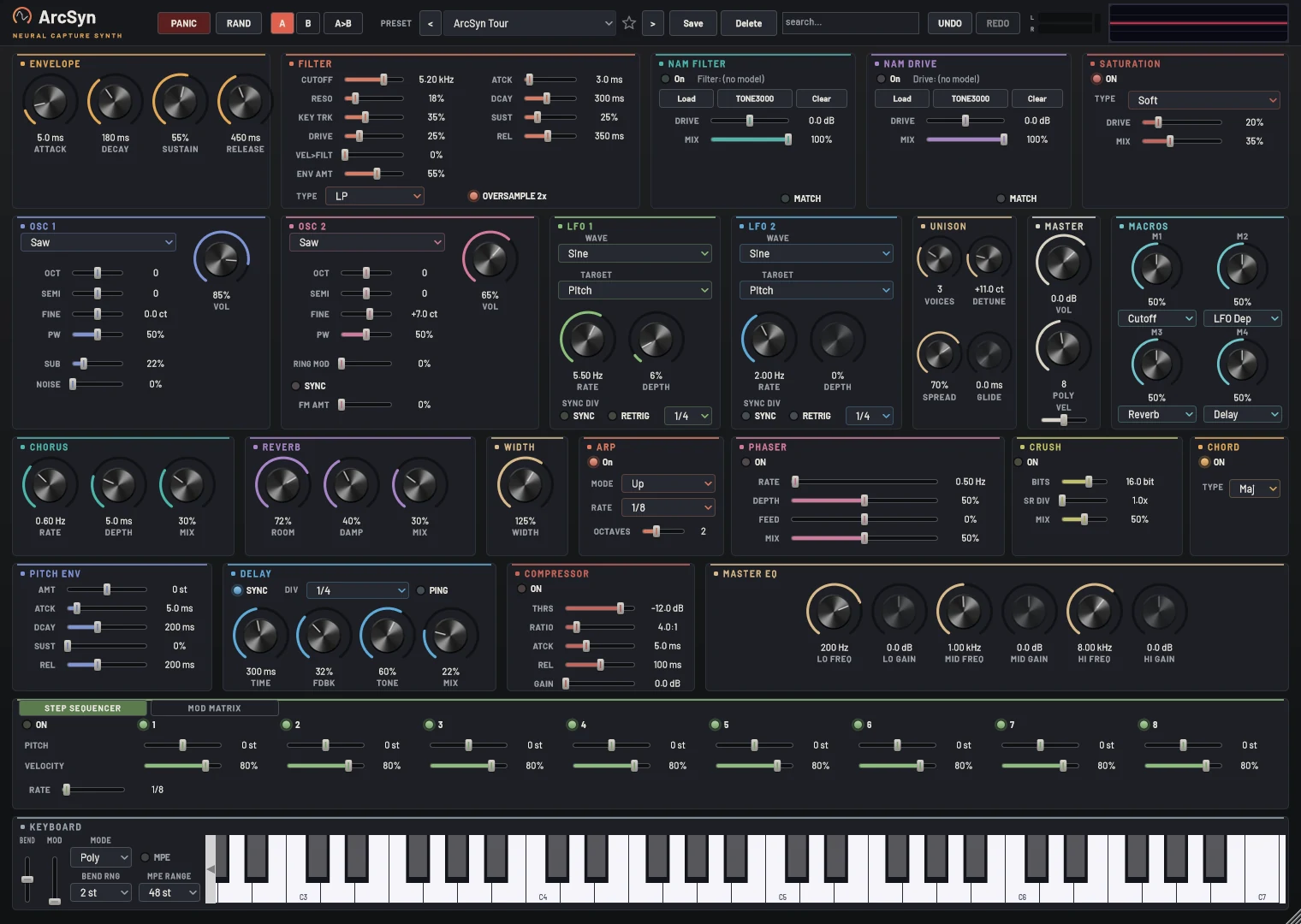
A synth with real hardware in its signal path.
ArcSyn is a polyphonic synthesizer with a neural twist. At heart it's a classic two-oscillator subtractive synth with unison, FM, ring modulation and hard sync.
What makes it different are its two neural capture slots: they run recordings of real amps, pedals, preamps and outboard gear right inside the synth's signal path.
What's inside
Two neural capture slots
Run NAM, ATIJ Parametric, AIDA-X and GuitarML captures as a filter stage and a drive stage.
Classic synth engine
Two oscillators with unison, FM, ring mod and hard sync, a zero-delay-feedback filter, three envelopes and two LFOs.
Deep modulation
An 8-slot mod matrix, four macros and MPE support for expressive controllers.
Patterns
A host-synced arpeggiator, an 8-step sequencer and a chord mode.
Effects rack
Saturation, chorus, phaser, bitcrusher, delay, reverb, EQ and a compressor.
302 presets
Level-matched factory presets, plus undo/redo, A/B compare and a TONE3000 browser for captures.
See it in action.
Tech specs.
- Type
- Polyphonic synthesizer (instrument)
- Formats
- VST3 · AU (macOS) · Standalone
- Platforms
- Windows 10/11 x64 · macOS (Apple Silicon + Intel) · Linux x86_64 · Linux ARM64
- Oscillators
- 2, with unison, FM, ring mod and hard sync
- Neural slots
- 2 · NAM, ATIJ Parametric, AIDA-X, GuitarML
- Modulation
- 8-slot matrix · 4 macros · MPE
- Presets
- 302 factory presets
Installing, step by step.
These are free builds from an independent developer, so they aren't code-signed by Microsoft or Apple. The first time you open them, your computer may warn you. That's expected, and the steps below show what to click.
Windows 10/11
- Download the Installer and run
ArcSyn-2.0.0-Windows-Setup.exe. - If you see "Windows protected your PC", click More info, then Run anyway.
- Tick what you want (VST3, the app, the manual) and finish.
- Rescan plug-ins in your DAW.
No installer? The Portable zip has ArcSyn.exe, which runs from anywhere, and ArcSyn.vst3, which you copy to C:\Program Files\Common Files\VST3.
macOS
- Download the Installer (
.pkg). - If macOS won't open it, right-click it and choose Open (or go to System Settings › Privacy & Security and click Open Anyway).
- Click Customize and tick what you want: the app, VST3, AU.
- Rescan plug-ins in your DAW. Logic and GarageBand use the AU version.
No installer? The Manual install zip has the app and both plug-ins to copy yourself; its README says where they go.
Linux (x86_64 / ARM64)
- Download the archive for your machine and extract it.
- In that folder, run
./install.sh. It asks whether to install the app and the VST3 plug-in. - Start it with
arcsynor from your applications menu, and rescan plug-ins in your DAW.
./install.sh --all installs everything, --system installs for all users, --uninstall removes it. Raspberry Pi 5: use the ARM64 archive.
Credits.
Made possible by these open-source projects. Each keeps its own license, included with the app.
Built with
- NeuralAmpModelerCoreNAM and A2 capture playback · by Steven AtkinsonMIT
- RTNeuralAIDA-X and GuitarML capture playback · by Jatin ChowdhuryBSD 3-Clause
- EigenLinear algebra for the neural engines · by Eigen contributorsMPL 2.0
- nlohmann/jsonReading model files · by Niels LohmannMIT
- JUCEApplication and plug-in framework · by Raw Material Software
- BarlowInterface font · by Jeremy TribbySIL OFL 1.1